 Aries
AriesEvery model. One workspace. Zero friction.
Aries puts Claude, Gemini, GPT, DeepSeek, Kimi and GLM behind a single clean interface — pick the right model for each job without juggling a dozen tabs and subscriptions.
Features
Built for people who ship
Everything you need to work with multiple AI models day-to-day — and nothing you don't.
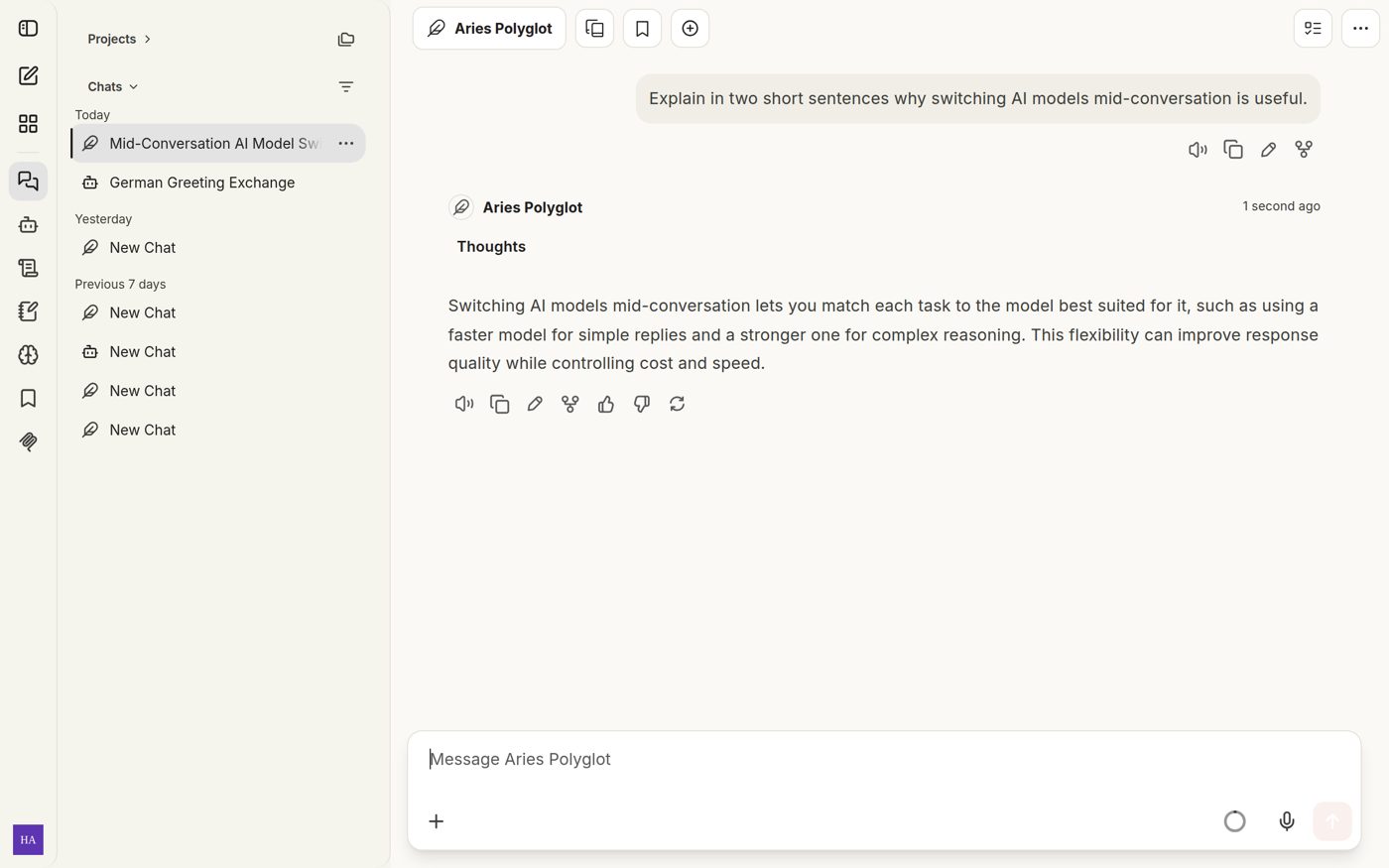
Switch models mid-conversation
Start with fast Gemini Flash, escalate a hard problem to Opus 4.6 Thinking, keep the same context. No copy-pasting between apps.
Purpose-built agents
Five pre-tuned agents — Coder, Researcher, Solver, Designer, Polyglot — each paired with the right model and instructions for its job.
Your files, in context
Drop in PDFs, images and code. Aries reads them alongside your conversation so answers stay grounded in your actual material.
Conversation memory
Preferences, projects and goals carry across sessions, so you never re-explain your stack, your team, or your style.
Fast, direct routing
Requests go straight to the model provider — streaming responses the moment a model starts thinking.
Quiet, keyboard-first UI
No dashboards to learn. Open a tab, type, get work done. The interface stays out of the way on desktop and phone.
Agents
Five specialists, one team
Each agent ships with its own model pairing and system instructions, so the answer you get is tuned for the question you asked.
Aries Coder
Writes, reviews and refactors production code with security in mind.
Claude Sonnet 4.6Aries Researcher
Searches the web, cross-checks sources, and cites what it finds.
Gemini 3.8 FlashAries Solver
Thinks step by step through hard analytical and math problems.
Opus 4.6 ThinkingAries Designer
Reviews mockups and screenshots, gives concrete visual feedback.
GLM 5v TurboAries Polyglot
Translation and writing across English, Indonesian, Chinese and more.
Kimi K2.7Models
The full roster
Seventeen models from five families, one API key, zero setup. Capabilities at a glance:
| Model | Family | Vision | Web search |
|---|---|---|---|
| Claude Opus 4.6 Thinking | Anthropic | ✓ | ✓ |
| Claude Sonnet 4.6 | Anthropic | ✓ | ✓ |
| Gemini 3.8 Flash (High / Medium / Low) | ✓ | ✓ | |
| Kimi K2.7 / K2.5 | Moonshot | ✓ | — |
| GLM 5v Turbo | Zhipu | ✓ | — |
| DeepSeek V4.1 Flash | DeepSeek | ✓ | — |
| GLM 5.2 / 5.0 Turbo / 4.7 | Zhipu | — | — |
| DeepSeek V4 Pro / V3.2 Volc | DeepSeek | — | — |
| HY3 Preview | Zhipu | — | — |
| GPT-OSS 120B | OpenAI OSS | — | — |
How it works
Three steps, no setup
No API keys to manage, no configuration files, nothing to install.
Create your account
Sign up with email at chat.aries.ai.id. Takes less than a minute.
Pick a model or agent
Choose from 17 models or let a specialist agent handle the task end to end.
Get to work
Attach files, switch models mid-thread, and pick up exactly where you left off — on any device.
FAQ
Common questions
Everything people usually ask before their first message.
Do I need my own API keys?
No. Aries routes every request through its own infrastructure — you just pick a model and chat. There are no keys to manage or bills from separate providers.
Can I switch models in the middle of a conversation?
Yes. The full conversation context carries over when you switch, so you can draft with a fast model and refine with a stronger one without restarting.
What file types can I upload?
Images (PNG, JPEG, WebP), PDFs, and plain text formats including code files and Markdown — up to 50 MB per file.
Does Aries remember anything between sessions?
Yes — preferences, active projects and goals persist across conversations. Memory is structured and editable, so you control what stays.
Is it free?
You can try the chat free. Heavy or specialized usage may require a plan — open the chat for current limits.
Which models have web search?
The Anthropic Claude and Google Gemini families support web search natively through Aries. Other models work with your uploaded files and the conversation context.
Ready when you are
Open the chat and start with any model — no setup, no keys.
Open chat.aries.ai.id